01
Skip the awkward reminder.
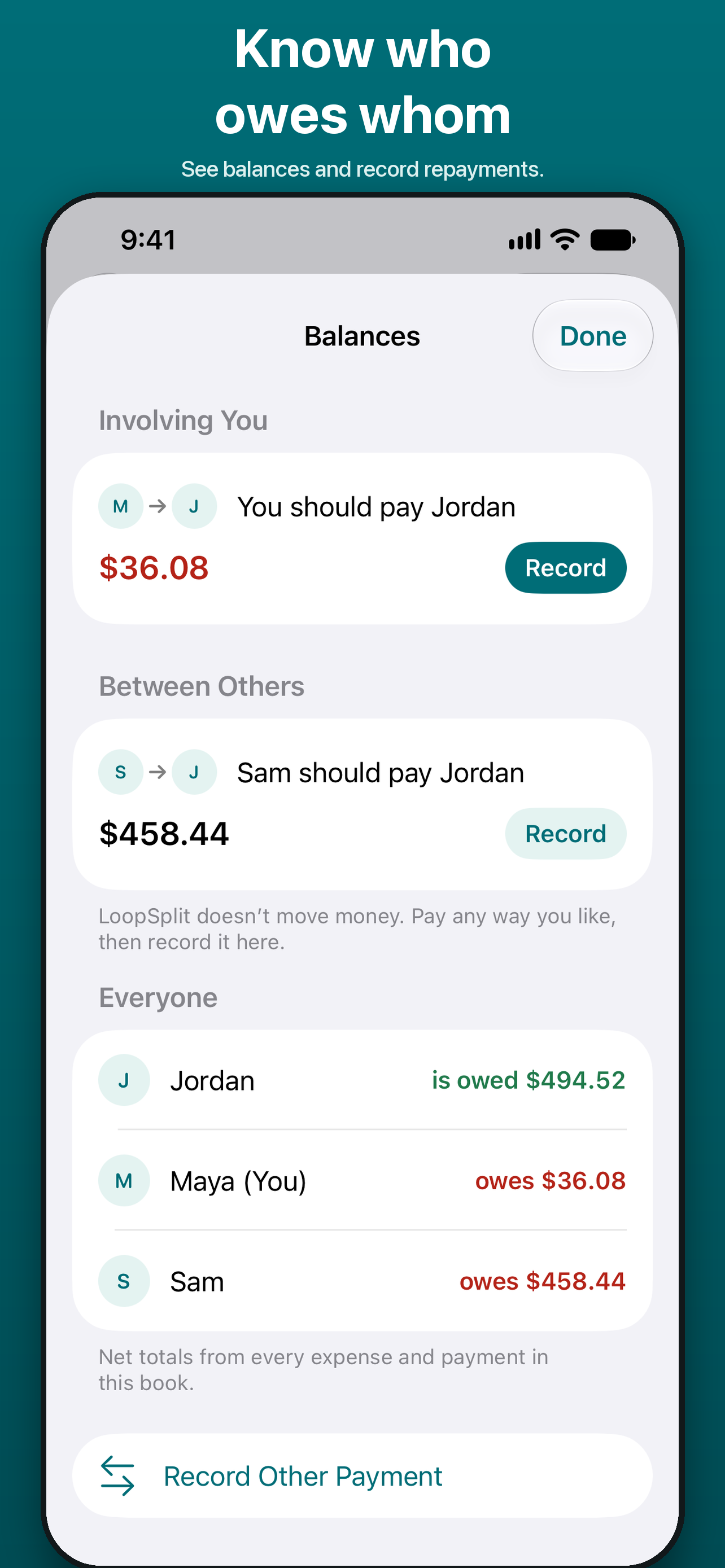
See who owes whom and the repayments still to record. Everyone in the Book sees the same balances.
 LoopSplit
Shared expenses, recurring bills and repayments, brought together. Scan a receipt, choose the split and keep everyone in sync.


Free expense trackingNo daily limitsNo adsOn-device receipt scanning
CLEAR COSTS. BETTER COMPANY.
See who owes whom and the repayments still to record. Everyone in the Book sees the same balances.
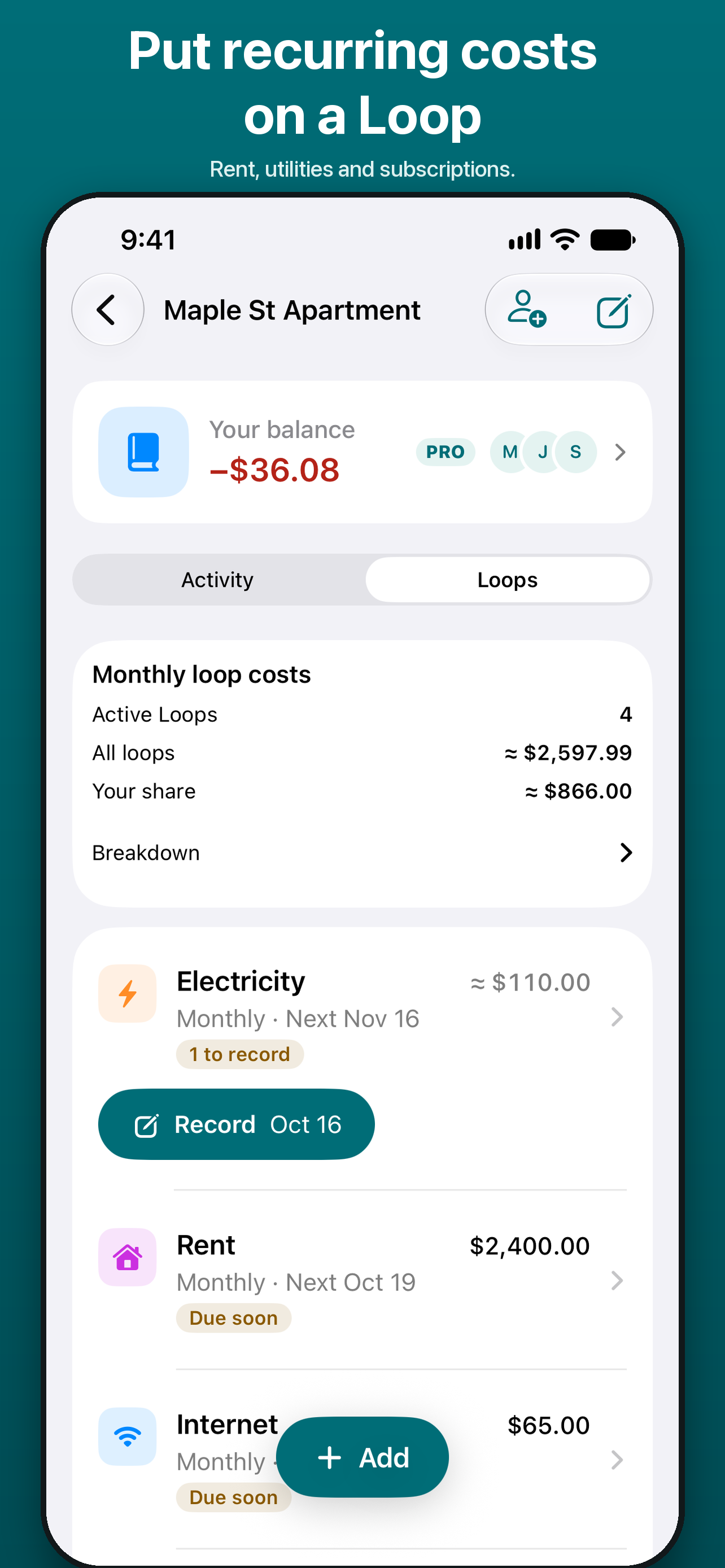
Rent, internet, subscriptions. Save the schedule and split; check each due period in To Do before recording it.
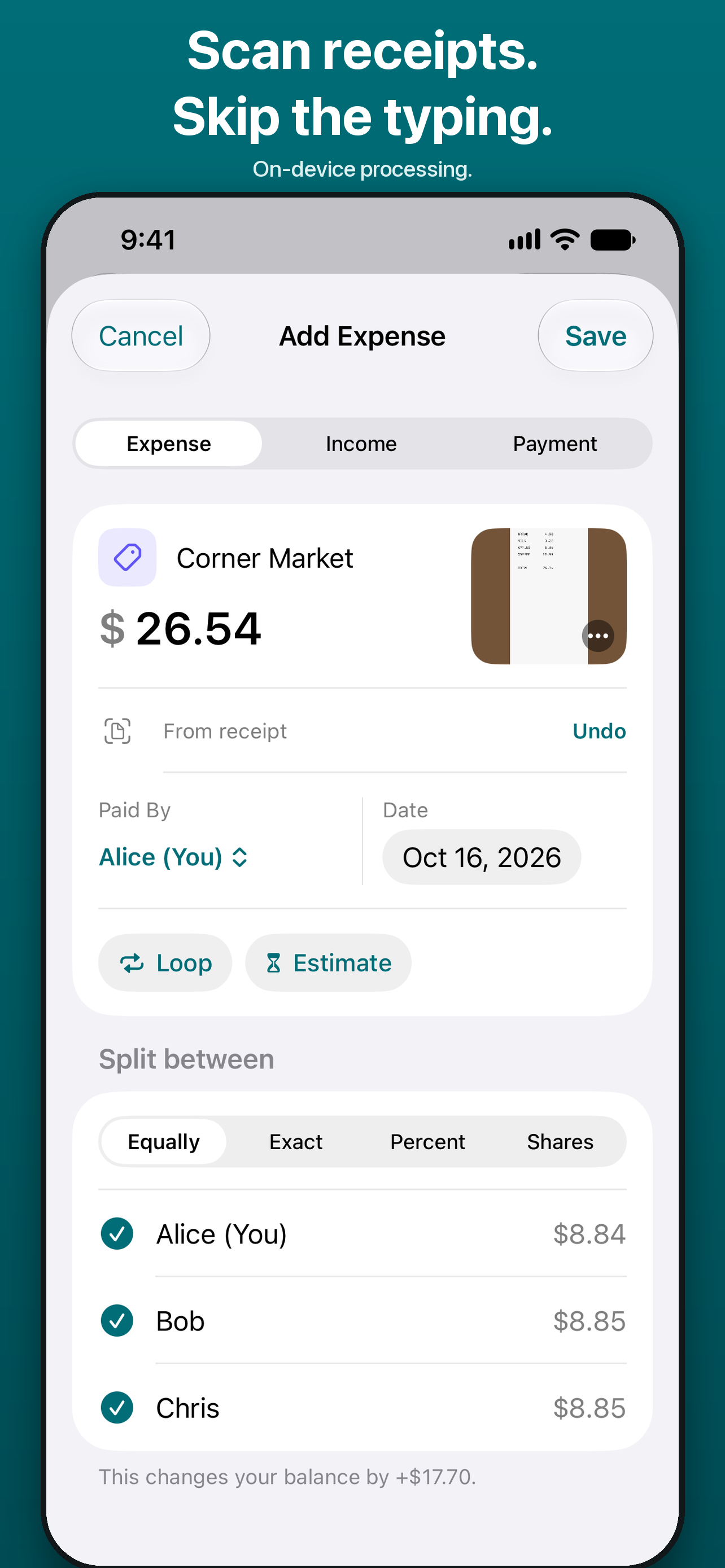
Scan for amount, merchant and date suggestions. Check the details, choose the split and save.
From the first receipt to the last repayment, in 30 seconds.
Scan a receipt and review the suggestions, save recurring costs as Loops, check due periods in To Do, review balances and record repayments made outside the app. Estimated expenses count toward balances once saved. Free accounts have 3 receipt scans total; free Books have 3 active Loops.
Equal, percentage, shares or exact amounts. Record refunds and returned deposits, too.
Invite by link, code or QR. Share the same Book across iPhone, iPad and Android.
Add expenses without a signal. They sync when you reconnect; shared balances update after sync.
START WITH WHAT YOU NEED
Pro offers optional monthly and yearly subscriptions. Local prices and trial eligibility appear before purchase. LoopSplit records money owed and repayments; it does not transfer money or connect to your bank.
Work through the numbers with practical examples.
Bring your people. Keep the costs clear.
iPhone & iPad: iOS 17+ · Android phones & tablets: Android 9+
Optional auto-renewing Pro subscriptions. Manage or cancel through the store where you subscribed.
Terms of Use · Privacy Policy
Find the steps for expenses, Loops, receipts and repayments.